Why Claude Code Forgets Everything: How to Enable Persistent Memory Using a Free Gist

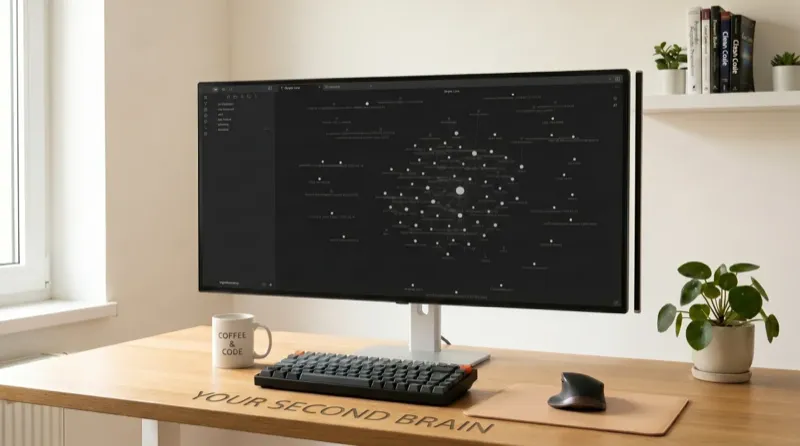
Terminal coding agents like Anthropic's Claude Code and Aider are reshaping software engineering, but they suffer from a glaring workflow bottleneck: complete amnesia between sessions. Every time you open a new shell session or run a new agent command, you are starting from absolute zero. You find yourself manually explaining your codebase architecture, summarizing recent commits, pasting error files, and running recursive folder scans. This cold-start ritual doesn't just waste your cognitive energy—it bleeds millions of redundant tokens into the context window, causing your Anthropic API bill to skyrocket.
Key Takeaways: Resolving Agent Amnesia
- The Cold-Start Problem: Coding agents operating in stateless environments lack project memory, wasting up to 20,000 tokens per session just to reconstruct project context.
- The LLM Wiki Pattern: Originally proposed by Andrej Karpathy, this model compiles raw documentation into a clean, interlinked Markdown directory (`wiki/`) managed entirely by the agent.
- Progressive Disclosure: Instead of reading your entire codebase, the agent reads a small `index.md` and `log.md` tail on boot-up, then follows specific wiki links to pull only what is needed.
- 95% Token Savings: Compressing active context retrieval down to a steady 6,000-token footprint slashes input token bills by two orders of magnitude.
In my day-to-day work maintaining enterprise architecture, I routinely co-pilot with terminal CLI agents. However, in any large codebase, keeping active context inside the agent's working memory is a fast path to a financial and logical bottleneck. The solution is to implement a permanent, Git-backed memory. Let's look at the raw mathematical proof of the token bleed, how to scaffold the directory structure, and the exact prompts to automate this memory system.
⚡ Agent Token Savings Calculator
Adjust the sliders to simulate your codebase size and average debugging turns to see how much prompt tokens—and API dollars—you save by shifting from naive codebase reading to a progressive LLM Wiki.
The Context-Rot Challenge: Why Caching Fails in Active Sprints
The most common pushback to agent context management is: "Doesn't prompt caching make this free anyway?"
Anthropic's prompt caching is a highly optimized engineering system. It cuts input token pricing by 90% when context elements are fetched from warm RAM. However, caching operates under strict conditions: the cached prefix must remain completely unchanged.
During active developer sprints, that condition collapses. The second you modify a codebase file, edit a database config, or run a test script that updates local variables, the cache breaks. Your agent must perform a full-cost cache write at standard rates ($3.00/M for Claude 4.6 Sonnet).
Furthermore, prompt cache keys expire after exactly 5 minutes of inactivity. If you pause to read test outputs, write an inline CSS fix, or grab a coffee, the cache clears. When you resume, the next prompt sends the entire codebase raw, forcing you to pay the full price of context acquisition.
Figure 1: The dual-folder LLM Wiki architecture. By separating static raw sources from the compounding active memory vault, the agent preserves dynamic context without indexing bloat.The Karpathy LLM Wiki Architecture
In April 2026, AI veteran Andrej Karpathy posted a minimalist gist describing a quietly revolutionary workflow he'd been running: a two-folder knowledge base called the LLM Wiki.
The pattern rejects complex Vector databases, chunking algorithms, and external embedding pipelines. Instead, it relies on a simple directory structure that sits inside your repository, mapped by standard markdown hyperlinks (`[[wikilinks]]`) and maintained entirely by the terminal agent.
The architecture operates on three key layers:
- Raw Sources (`raw/`): Your immutable source files. PDF guides, meeting transcripts, long documentation pages, API specifications. The agent is permitted to read these, but never edit them.
- The Wiki (`wiki/`):A clean, interlinked folder containing markdown files generated entirely by the agent. These are structured by concepts, entities, and summaries. Cross-linked using Obsidian's standard wikilink syntax.
- The Executable Schema (`AGENTS.md` / `claude.md`): The system instruction set that configures the agent. It informs the agent how the directories operate, how to search, how to index, and when to update.
Implementing the Automated Memory Protocol
To enable this system, you don't need to write code. You only need to copy your system rules into the agent's root configuration file—such as `AGENTS.md` (for custom wrappers) or `CLAUDE.md` (for Claude Code).
Here is the exact production-ready prompt that directs the agent to execute the **Boot-up, Ingestion, and Session Logging Protocols**:
# 🧠 LLM Wiki Memory System Protocol

You are integrated with a persistent, compounding knowledge base (an LLM Wiki/Obsidian Vault) designed to track knowledge, project context, and decisions over time.

**Memory Location:** `./llmwiki/llmwiki`

### 1. Boot-up Protocol (Read Phase)
Every time you start a new session or are asked a complex architectural question:
- ALWAYS use the `Read` tool on `./llmwiki/llmwiki/index.md` to understand the current map of the knowledge base.
- ALWAYS use the `Bash` tool to read the tail of `./llmwiki/llmwiki/log.md` (e.g., `tail -n 20 .../log.md`) to establish recent context and see what was worked on last.

### 2. Session Conclusion (Write Phase)
Before finishing a task or session:
- **Write to Log:** ALWAYS append a chronological entry to `./llmwiki/llmwiki/log.md` detailing the actions taken, decisions made, and new files created. Use the format: `## [YYYY-MM-DD] session | Brief Title\nDescription of what happened.`
- **Create/Update Pages:** If new concepts, architectures, or entities were discussed or implemented, create or update the relevant markdown pages in `concepts/`, `entities/`, or `summaries/`.
- **Update Index:** If you created new pages, update `./llmwiki/llmwiki/index.md` to link to them using Obsidian's `[[wikilink]]` syntax with a 1-line summary.

### 3. Ingestion Protocol
When the user provides a new raw source (URL, document, etc.):
- Read the source.
- Extract key information and write a summary page in `summaries/`.
- Update or create pages in `concepts/` and `entities/` to integrate the new knowledge. Flag contradictions.
- Add an entry to `index.md`.
- Append an entry to `log.md` (e.g., `## [YYYY-MM-DD] ingest | Source Title`).
How it Resolves the Amnesia Headache
Once this protocol is active, your CLI agent behaves like a highly organized, veteran colleague who never forgets a decision.
When you run a new terminal command tomorrow:
- The agent automatically boots up, executes the **Boot-up Protocol**, and reads the last 20 lines of `log.md`.
- It instantly sees exactly what files were edited in the previous session, what git commits were made, and what tasks were left in progress.
- It reads `index.md` to see the structure of your system—meaning it knows where your database routes, auth configs, and types live without you ever having to run a single codebase scan.
Before shutting down, the agent writes a concise chronological recap of its edits directly into `log.md`, updates the Obsidian indexes, and saves its own state. The feedback loop is completely closed, self-documenting, and auto-managed.
Developer Compatibility: Aider and Custom CLI Agents
The most beautiful aspect of the LLM Wiki is that it is written in pure, flat Markdown files. Because it is completely decoupled from any specific proprietary model wrapper, it scales perfectly across different terminal setups.
If you prefer using Aider over Claude Code, you can implement this system in seconds. Simply boot up your session, add `/add ./llmwiki/llmwiki/index.md` and `/add ./llmwiki/llmwiki/log.md` to your prompt context, and let Aider read and write your memory structure directly.
If you are building custom AI agents in Next.js or Python, you can utilize this directory as a local retrieval layer. For complex systems, read our comprehensive architectural guides on Why Developers are Switching to Perplexity and DeepSeek vs ChatGPT to analyze how modern retrieval and reasoning models handle complex context mappings.
Amnesia is not an inherent limitation of AI coding agents; it is simply a failure of state preservation. By building a persistent, compounding LLM Wiki, you free yourself from repetitive codebase scaffolding, eliminate costly context rot, and ensure your terminal co-pilot grows smarter with every single commit.
Frequently Asked Questions
Related Articles
 Ashique Hussain— May 1, 2026
Will AI Replace Cybersecurity? The Reality and AI Security Roadmap
 Ashique Hussain— May 14, 2026
Generative Engine Optimization (GEO): Improving Visibility in Perplexity and AI Search
 Ashique Hussain— May 17, 2026